
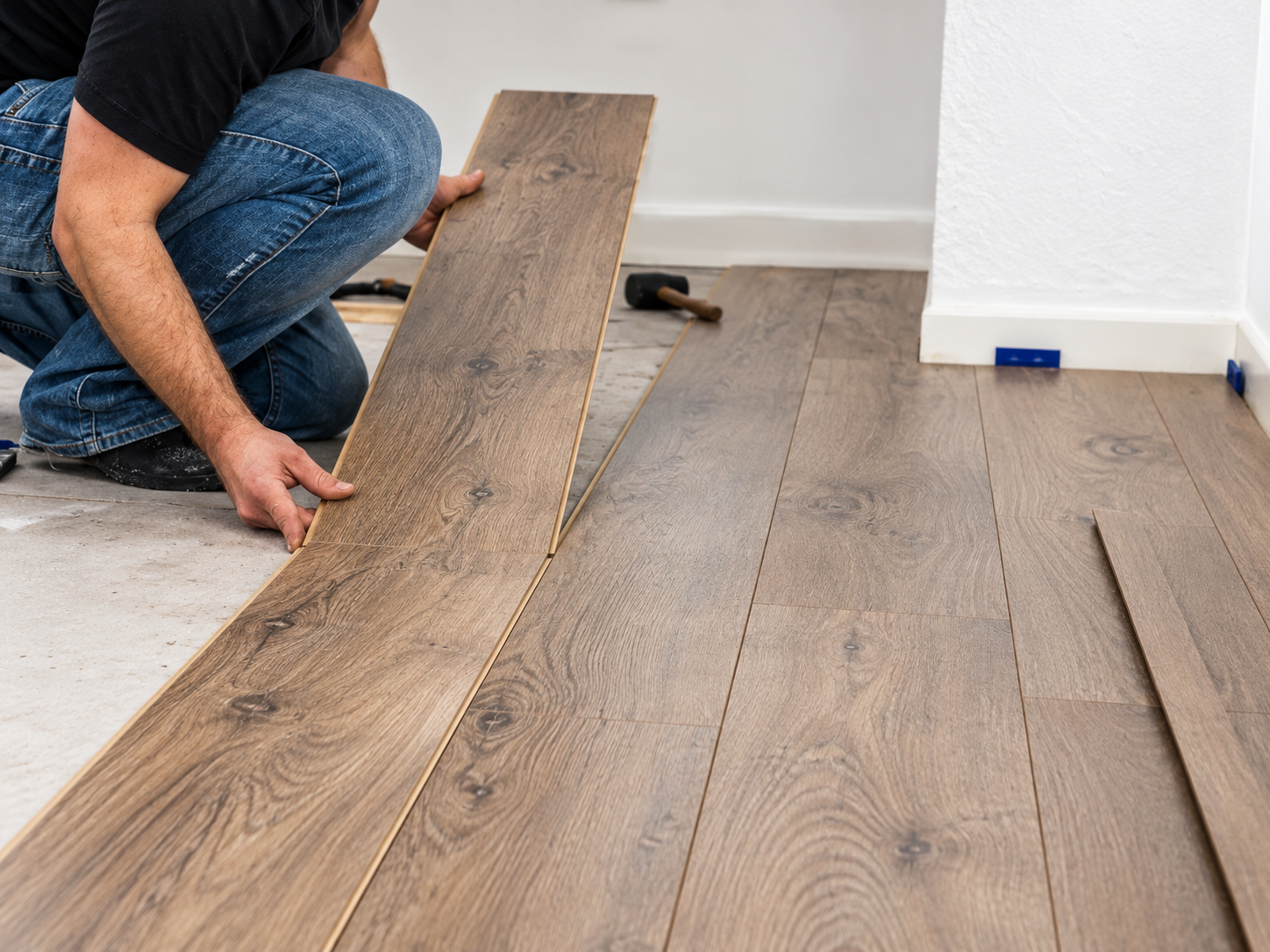
How to Remove Laminate Flooring Planks: A Complete Guide
Learn how to remove laminate flooring planks, understand different click-lock systems and replace damaged boards without unnecessarily damaging surrounding flooring.
How to remove laminate flooring correctly depends on the locking system used and whether you need to dismantle an entire row or replace one damaged plank in the middle of a room.
Modern laminate flooring uses engineered click-lock connections that allow compatible planks to join together without fastening each board directly to the subfloor. However, not all locking systems disengage in the same way.
Using the wrong technique can damage the tongue, groove or locking insert and prevent a plank from being reused.
In this illustrated FINfloor guide, we explain the differences between Parador Trendtime 6 Safe-Lock PRO and Black Forest Plus Välinge 5G, including dismantling techniques, individual plank repairs and a video demonstration.
Before You Remove Laminate Flooring: Know Your Locking System
The first step in removing laminate flooring is identifying the locking mechanism.
Different laminate products may look similar once installed, but the connections beneath the surface can be very different.
Some systems require an entire row to be lifted before the short-end joints can be separated. Others may have a specialised release mechanism.
Always follow the dismantling instructions for the exact installed flooring product.
Parador Trendtime 6 vs Black Forest Plus
| Feature | Parador Trendtime 6 | Black Forest Plus |
|---|---|---|
| Plank dimensions | 2200 × 243 × 9 mm | 2200 × 236 × 12 mm |
| Locking system | Safe-Lock PRO | Välinge 5G; exact profile must be confirmed |
| Long-side removal | Lift and disengage the complete row | Follow the installed profile's instructions |
| Short-end removal | Slide disconnected boards sideways | Profile-specific release procedure |
| Dismantling pin | Not the Välinge 5G pin method | Only for approved compatible profiles |
| Single plank repair | Manufacturer-documented cut-out method | Confirm approved repair procedure |
For product-specific guidance, visit the FINfloor Media Centre .
How to Remove Laminate Flooring with Parador Safe-Lock PRO
Parador Trendtime 6 uses the Safe-Lock PRO click system.
For an accessible floating installation, Parador's dismantling guidance involves releasing a complete row before separating individual boards.
This is different from replacing a single damaged plank in the middle of a room.
Illustrated Parador Removal Instructions
Gently lift the entire row from the groove side, supporting its length until the long-side connection disengages.
Carefully place the disconnected row on a clean, protected surface. Avoid twisting or bending the locking profiles.
Slide individual boards sideways across their width to disengage the short-end connections. Do not pull them lengthways.
These diagrams are explanatory illustrations rather than official Parador technical drawings.
Step-by-Step Parador Removal Process
Prepare the Working Area
Remove skirting or trims where necessary to access the flooring. Identify the accessible row and confirm that the floor is floating.
Release the Long-Side Joint
Carefully lift the complete row from the groove side until the long-side connection disengages. Support the row along its length.
Protect the Removed Row
Place the disconnected row on a clean surface and inspect the locking edges for damage.
Separate Individual Planks
Slide the short-end joints sideways as specified by Parador. Do not force or twist the connection.
Explore Parador Trendtime 6 Oak Loft Pure or consult the manufacturer's installation documentation.
Parador Technical Resources ↗How to Replace a Damaged Laminate Flooring Plank
What happens when a single laminate plank is damaged in the middle of a room?
Removing the entire floor may not always be practical. Parador documents a specialist cut-out repair method for certain Safe-Lock PRO installations.
This is different from normal row dismantling.
The procedure may require precise cutting, modification of the replacement plank's locking profile and bonding according to the manufacturer's instructions.
Assess the Damage
Determine whether the damage is limited to one board or caused by moisture, movement or subfloor issues.
Find a Matching Replacement
Confirm the exact décor, dimensions, thickness and locking profile. Similar-looking boards may not be compatible.
Cut Out the Damaged Plank
Follow Parador's illustrated cutting pattern. Protect adjacent boards, underlay, underfloor heating and concealed services.
Prepare the Replacement
Modify only the locking-profile sections specified in the manufacturer's repair instructions.
Install and Secure
Follow Parador's prescribed positioning and bonding method to secure the replacement.
Inspect the Repair
Check that the replacement sits flush with surrounding boards and observe any required adhesive curing time.
For more detailed guidance, refer to the Parador technical download centre .
How to Remove Black Forest Plus Laminate Flooring
Black Forest Plus is a large-format laminate flooring range with 2200 × 236 × 12 mm planks.
The range is associated with Välinge 5G locking technology, which differs from Parador's Safe-Lock PRO system.
Välinge 5G is a family of fold-down locking technologies. Certain versions use a flexible locking insert at the short-end joint.
Some compatible profiles can be disengaged using a specially designed dismantling pin, which retracts the flexible locking component.
Before Attempting Removal
Identify the Locking Profile
Confirm the exact flooring product and locking mechanism used on the installed boards.
Confirm the Release Method
Check whether the manufacturer specifies a dismantling pin, row lifting, horizontal sliding or another procedure.
Support Surrounding Planks
Keep neighbouring boards stable and avoid twisting or forcing the locking edges.
Inspect Before Reuse
Check the tongue, groove and locking components for damage before reinstalling any removed plank.
For product information, visit the FINfloor Media Centre .
How a Välinge 5G Dismantling Pin Works
On certain compatible 5G profiles, a purpose-designed dismantling pin can retract the flexible locking insert and allow the joint to release.
The illustrations below explain the general principle. They do not identify a verified pin entry point, angle or release direction for every Black Forest Plus installation.
Confirm that the installed profile supports pin release and locate the approved release point in the manufacturer's instructions.
On approved profiles, use the specified dismantling tool and procedure to retract the flexible locking component.
Once the locking insert has been released, move the plank only in the manufacturer-approved direction. Stop if resistance is felt.
These are original explanatory illustrations, not dimensionally accurate technical drawings or verified Black Forest Plus pin-placement instructions.
What If the 5G Profile Does Not Support a Pin?
Not all 5G systems are dismantled with a pin. Depending on the specific locking design, the manufacturer may specify releasing a complete row, sliding boards horizontally or another approved procedure.
Always follow the instructions for the exact installed profile.
Explore Välinge Locking Technology ↗Watch How a Välinge 5G Locking System Is Released
Watch the following video to see a Välinge 5G locking and release mechanism in action.
This demonstration provides a useful visual reference for understanding compatible fold-down locking systems.
Laminate Flooring Removal Checklist
Before attempting to remove or replace laminate flooring planks, check the following:
Common Mistakes to Avoid
- Forcing a locked joint: This may damage the tongue, groove or locking insert.
- Using the wrong release method: Different locking systems require different techniques.
- Ignoring moisture damage: Always resolve the underlying cause before replacing boards.
- Using incompatible replacements: Similar-looking planks may have different locking profiles.
- Cutting without checking beneath the floor: This may damage underlay, underfloor heating or concealed services.
How to Remove Laminate Flooring: FAQs
How do I remove laminate flooring without damaging the planks?
First identify the exact click-lock system. Follow the manufacturer's removal method and avoid forcing locked joints. Whether planks can be reused depends on their condition and locking profile.
How do I remove Parador Trendtime 6 laminate planks?
For an accessible floating installation, release the complete row at the long side, lay it flat and slide the short-end joints sideways as directed by Parador.
Does Parador Trendtime 6 use Välinge 5G?
No. The Trendtime 6 range discussed here uses Parador Safe-Lock PRO. Its dismantling method differs from Välinge 5G.
Can I use a 5G dismantling pin on Parador flooring?
Do not use a Välinge 5G pin-release method on Parador Safe-Lock PRO. Follow Parador's approved dismantling instructions.
Can Black Forest Plus be removed with a dismantling pin?
Only if the exact installed 5G profile supports the manufacturer-approved dismantling-pin method. The 5G name alone does not confirm compatibility.
How does a Välinge 5G dismantling pin work?
On compatible profiles, the specialised tool retracts the flexible locking insert, allowing the joint to be released using the approved movement.
Can I replace one damaged laminate plank?
Sometimes. Parador documents a specialist cut-out repair procedure. For other ranges, check the manufacturer's approved replacement method.
Can removed laminate planks be reused?
Potentially, provided the boards and locking edges remain undamaged and the manufacturer permits reuse.
Can I use a screwdriver instead of a dismantling pin?
Do not substitute improvised tools unless specifically approved by the manufacturer. Incorrect tools can damage the locking components.
What if a laminate locking joint will not release?
Stop rather than forcing the connection. Confirm the exact locking profile and approved removal method, or consult a qualified installer.
Where can I find laminate flooring installation instructions?
Visit the FINfloor Media Centre or the Parador technical download centre .
Related FINfloor Products & Technical Resources
Black Forest Plus
Explore FINfloor laminate flooring products and technical information.
Explore FINfloor Flooring ↗FINfloor Media Centre
Access flooring literature, installation guidance and technical resources.
View Technical Resources ↗Parador Installation Guides
Consult the manufacturer's published installation and maintenance guidance.
Parador Downloads ↗Välinge Locking Technology
Learn about different Välinge flooring locking systems and their applications.
Explore Välinge ↗Flooring Information
Find more information about FINfloor products and available ranges.
Visit FINfloor ↗Need Help Removing or Replacing Laminate Flooring?
Not sure which locking system your flooring uses? Contact FINfloor with the product name, décor, batch details and photographs of the locking profile before attempting to disengage or replace planks.
Explore FINfloor Flooring ↗